



It is 9:15 on a Tuesday. Your front desk has a line forming, the card reader at the counter is refusing to connect, and your office manager has been on hold for twenty minutes listening to a recording tell her that her call is important. When a person finally answers, it is somebody in another state reading questions off a screen, somebody who has never heard of your business, cannot see your systems, and ends the call by assigning a ticket number and a promise that someone will reach out within two business days.
Your customers are still standing there. The card reader is still down. And the support you are paying for is a phone tree and a queue.
That experience is why this page exists. This is a plain-English guide to IT support Lancaster PA small businesses can actually count on: what support covers on an ordinary day, what a support call should feel like when it is done right, how remote and on-site help divide the work, what 24/7 should mean after hours, and how support differs from managed IT services. If you run a business with 5 to 75 people in Central Pennsylvania, and you have ever wondered whether the frustration your team feels is just how IT support is, it is not. Here is the standard to hold every provider to, including us.
Table of Contents
What IT support Lancaster PA businesses actually get, day to day
Forget the brochure version. Day to day, IT support is the help your people get when technology interrupts their work, plus the quiet tasks that keep the office running. Here is what that looks like in a real week.
The everyday rescue work. A password that will not take. An email account that stopped syncing on a phone. A printer that shows up on one computer and vanishes on another. The accounting program that freezes every time it prints an invoice. None of these make the news. Every one of them stops a person from working, and together they are most of what support actually is. There is data behind that: Gartner estimates that 20 to 50 percent of all help desk calls are password resets alone, and Forrester Research has put the average cost of a single help desk password reset at about $70 once you count the technician’s time and the employee sitting idle. Small problems, real money, every week.
A ticket that becomes a record, not a rumor. When an employee asks for help, the request gets logged, assigned to a person, worked, and closed, with the fix written down. That record matters more than it sounds. The third time the same printer fails, the record is what turns “fix it again” into “replace it or find the root cause.” Without it, your business pays to solve the same problem five times and calls it support.
New people started right, departing people closed out. A new hire’s first morning should begin with a working login, the right email, and access to exactly the files their job needs, nothing more. The flip side matters just as much: when somebody leaves, their access ends that day, all of it, not whenever somebody gets around to it. Getting access right at both ends is basic support work, and it is also basic security .
Vendor wrangling, handled for you. When the internet crawls or a software update breaks the program your office runs on, somebody has to sit on hold with the provider and speak their language. That somebody should be your support team, not your office manager. Your people describe the problem once, to one place, and the chasing happens behind the scenes.
Honest triage on aging machines. Support sees your computers every day, which puts it in the best position to tell you the truth about them: this laptop can be cleaned up and carry another year, that one has been revived three times and is now costing you more in lost hours than a replacement would. A good desk tells you which is which instead of quietly billing you to nurse dying hardware.
What good IT support Lancaster PA looks like on a Tuesday morning
Same Tuesday, different provider. The card reader drops at 9:15. Your office manager calls one number and a person answers, a person who can pull up your office, see the reader, and see that it dropped twice last month before it ever made the front desk nervous. She is walked through two checks while the technician looks from his side. By 9:40 the reader is back, the line is moving, and she gets a short summary of what happened and what was done, in writing, without asking for it.
Nothing about that story is magic. It is a set of habits, and you can test for every one of them.
Response and resolution are two different promises. Response is how fast a human acknowledges you and starts. Resolution is how long the fix takes. Providers who blur the two are telling you something. Ask for both numbers, and ask for them in writing. A fast “we got your ticket” followed by three silent days is not fast support, it is fast paperwork.
Your team should never have to re-explain your business. When the person helping you can see your systems, your documentation, and your history, every call starts at the problem instead of at your company’s biography. If your staff dread calling support because it means twenty minutes of background before anyone touches the issue, that dread is a cost you pay on every incident.
Updates arrive before you chase them. The single clearest sign of a healthy support relationship is boring: you hear about the status before you think to ask. The clearest sign of a sick one is that your people develop workarounds, personal cell numbers, a guy they text, because the official channel feels like shouting into a well.
People call early, and early is cheap. This one has security weight behind it. Verizon’s 2025 Data Breach Investigations Report found a human element involved in about 60 percent of breaches, which means the moment an employee notices something odd, a strange email, a login prompt that looks wrong, is often the moment that decides the size of the incident. If your team trusts support and gets a fast, friendly answer, they call in the first five minutes. If support has trained them that calling is pointless, they click, hope, and stay quiet. A help desk Lancaster PA employees will actually use is not a convenience. It is part of your defense. For the deep version of the security side, read our owner’s guide to cybersecurity in Lancaster, PA.

Remote vs. on-site support: what gets fixed from where
Most support work never requires anyone to leave a desk, and that is a good thing, because remote help starts in minutes instead of after a drive. Passwords, email problems, software errors, access changes, most printer trouble, the program that will not open: a technician connects, sees the screen, and fixes it while your employee watches or gets back to other work.
Some work genuinely needs hands in the room. A dead computer or a failed part. Network equipment that has to be replaced or re-cabled. A new office or a moved office, where workstations, phones, and printers all have to land in the right places. A workstation setup for a new hire whose desk is not ready. The honest answer is that any healthy support arrangement does both, remote first for speed, on-site when the problem is physical.
Where the on-site half gets decided is geography. When hands are needed, a local provider sends a technician who knows your office, your setup, and your people, and who was a short drive away. A provider with no presence here sends whoever a dispatch network finds in your ZIP code that day, a stranger starting from zero in your server closet. Both models call themselves on-site support. They are not the same product, and the difference shows up on your worst day, not your average one.
After-hours IT support in Lancaster, PA: what 24/7 should actually mean
Your business does not keep office hours even when your office does. The owner answers email at 10 p.m. The weekend crew runs Saturday. A server that fails at 7 p.m. on a Friday is a Monday-morning disaster by the time a 9-to-5 provider hears about it.
So “we offer 24/7 support” deserves a follow-up question, because the phrase covers everything from a real desk to an answering service with a notepad. Ask who actually answers at 9 p.m. on a Saturday. Ask whether that person can see your systems and start fixing, or only take a message. Ask what counts as an emergency versus what waits for morning, and ask what after-hours help costs, because fees for it are common in this industry and the honest providers put the terms in writing before you ever need them.
Here is how it works with us, stated plainly. RDCS clients reach support around the clock at (717) 202-3587. RDCS partners with The20 to provide a high level of support, a security operations center, advanced compliance, and network monitoring, 24/7. Monitoring watches client systems through the night as well, which means some problems get found and fixed before your first employee arrives, and the rest get a running start. That combination, a desk that answers and systems that are watched, is what 24/7 should mean. Anything less is a voicemail box with better marketing.
IT support Lancaster PA vs. managed IT services: what is the difference?
Owners use these two phrases interchangeably, and providers let them, because the confusion sells bigger contracts. Here is the honest split.
IT support is the help itself. Something is wrong or somebody needs something, and a person fixes it. It is measured in response times, resolutions, and how your team feels at the end of the call. Support can be sold on its own: hourly, in blocks of time, or as a help desk arrangement.
Managed IT services are the whole operating model. Support is one part of it, the visible part. Around it sit the parts you never see: monitoring, patching, the security layer, tested backups, and planning, all under one flat monthly agreement with one accountable team. We wrote the full owner’s guide to that model here, and our managed services page lays out what the arrangement includes.
An analogy that holds up: support is the mechanic who fixes your truck when it breaks. Managed services are the maintenance program, the inspections, and the mechanic, together, so the truck breaks down less and never on your busiest day. Most growing businesses end up wanting the second once the first has shown them how much downtime actually costs. Some do not, and that is a legitimate choice. If your setup is simple and your team is small, strong support with good backups may be all you need today, and a provider who tells you that, against their own sales interest, is a provider worth keeping.
The trap to avoid is paying for one and thinking you bought the other. Support alone does not watch your systems overnight, test your backups, or plan your replacements. If a proposal uses the word managed, make it show you the parts beyond the help desk before you sign.
Hiring your own support person vs. outsourcing: run the honest math
At some size, every owner runs this calculation, so run it with real numbers. The U.S. Bureau of Labor Statistics puts the median annual wage for a computer support specialist at $62,890, and that is salary alone. Payroll taxes, benefits, a computer, tools, and training sit on top of it, and coverage sits on top of that: one person takes vacations, gets sick, and eventually resigns, taking everything they know about your systems out the door with them. One person also has edges. They are strong in some areas and thin in others, because everyone is.
It is worth knowing that the Bureau of Labor Statistics makes the same observation in its outlook for the occupation: smaller organizations with minimal IT requirements often find it more cost effective to contract with outside firms for support rather than employ specialists themselves. That is not a sales line. It is the federal government describing your exact decision.
None of this means an internal person is a bad idea. Plenty of our clients have one, and support arrangements work well alongside them: the outside desk carries the overflow, the after-hours load, and the specialties, while your person handles the day-to-day inside the building. The math to run is not salary versus a support agreement. It is salary plus everything around it, against a team that never calls in sick. However you plan to carry the cost, our budgeting guide walks through building the full IT line, support included.
How to judge IT support in Lancaster, PA before you sign
Every provider promises fast, friendly support. You cannot shop on adjectives, so shop on answers. Ask these, and weigh how a provider responds as much as what they say.
- What are your response and resolution targets, and will you put them in writing? Separate numbers for “a human is on it” and “it is fixed,” by severity. A provider who answers this precisely has measured it. A provider who answers with “we’re very responsive” has not.
- Who answers when we call? Your team, a partner desk that can see our systems, or a call center? All three exist and all three call themselves support. The one you want can pull up your environment and your history while you are on the phone.
- How do we reach you, and what happens next, step by step? Phone, email, ticket, chat: whatever the channels, you should be able to describe exactly what your employee does at 9:15 on a Tuesday and what they can expect by 9:30.
- Can we see our own tickets and history? You should be able to see what was reported, what was done, and what keeps coming back. That history is your business’s memory. It should never live only in the provider’s head or their system, locked away from you.
- What does after-hours support actually look like, and what does it cost? Who answers, what they can do, what counts as an emergency, and the fee terms, in writing, before you need any of it.
- Can we talk to two clients our size, nearby? A provider serving Central PA should name references in Lancaster, York, or Harrisburg without hesitating. Local roots are checkable. RDCS has served this region since 2003, which means our references have stayed through more than one technology cycle.
- If we leave, what do we take with us? Your documentation, your passwords, your ticket history, in usable form. A confident provider makes leaving clean, because they do not plan on you wanting to.
Red flags that should slow you down
- The ticket black hole. No confirmation when a request lands, no status while it sits, no summary when it closes. If you cannot describe where a request is, neither can they.
- A one-person shop with no bench. One person can be excellent. One person also gets sick, takes vacation, and has a busiest week the same week you have yours. Ask who covers when they cannot, and listen for a real answer.
- No local presence at all. If every on-site visit is a dispatched stranger, you are renting a call center with a local phone number. Check where their people actually are.
- Support hours that end before your business does. A desk that closes at 5 p.m. while your team works evenings and weekends is not support for your business. It is support for a business like yours, on paper.
- You do the follow-up work. If your staff have learned to send the second email, make the second call, and build the spreadsheet that tracks the tickets, the provider has quietly hired your team as their dispatchers. Unpaid.
- Pricing that punishes calling. Per-incident fees for every small thing train your employees to not call, to sit on problems, to ask the coworker who is “good with computers” instead. Problems that surface late cost more. A pricing model that discourages early calls is working against you and calling it savings.
IT support for York, Harrisburg, and Allentown businesses
RDCS is a Central Pennsylvania company, and the desk described on this page is the same desk wherever your office sits in the region. Our main office is in Lancaster, at 313 W Liberty St Suite D, Lancaster, PA 17603. Our second office is in Red Lion, at 2902 Cape Horn Rd, Red Lion, PA 17356, serving York and the surrounding communities, so IT support York PA businesses rely on runs through the same team, the same ticket record, and the same 24/7 coverage. The same holds for IT support Harrisburg PA companies need on a Tuesday morning, and for businesses in the Allentown area. Allentown is a community we serve rather than a place we keep an office, and we say so plainly, because owners there deserve a provider who is honest about where their people are based.
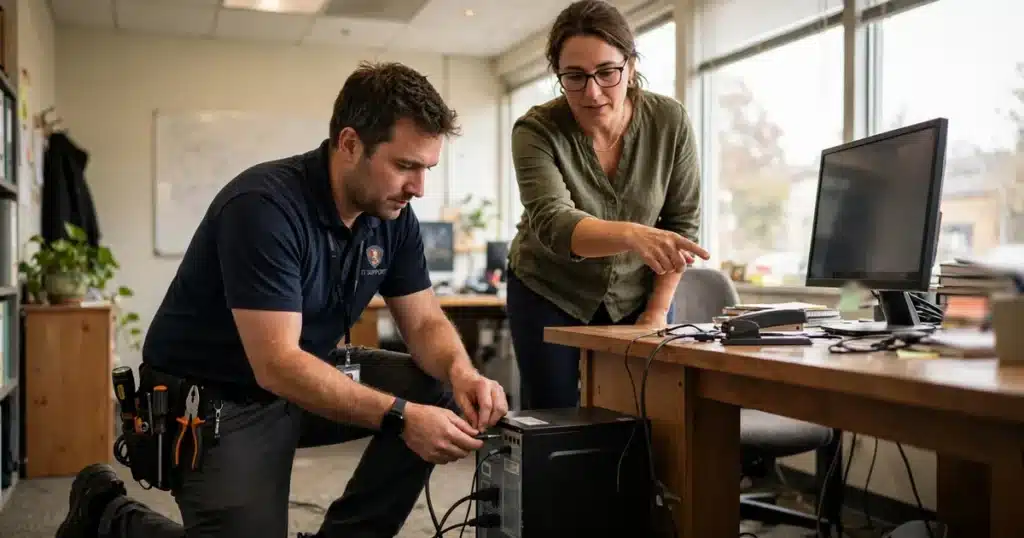
What local actually buys you is not a flag on a map. It is a technician who can be in your office the same day when a problem needs hands, a support team that knows the difference between your harvest season, your tax season, and your slow month, and an owner you can sit across a table from when something matters. Hold every IT company Lancaster PA owners interview to that standard, including us. Start with what our support covers in detail, see the areas we cover: Lancaster, York, Harrisburg, and Allentown, or call and test the desk yourself.
Questions owners ask us about IT support
How fast should IT support respond when we call?
For a problem that stops work, expect a human response in minutes, not hours, and a clear statement of what happens next. Separate the two promises every provider makes: how fast someone starts, and how fast it gets fixed. Simple issues are often resolved on the first call. Hardware failures and vendor problems take longer, and an honest provider tells you which kind you are looking at within the first conversation, then keeps you updated without being chased.
What is the difference between IT support and managed IT services?
Support is the help your people get when something goes wrong or they need something done. Managed IT services wrap that help in monitoring, security, backups, and planning under one flat agreement. Our owner’s guide to managed IT services in Lancaster, PA covers the full model. Plenty of businesses start with support and move to managed when the cost of downtime makes the decision for them.
Can support really fix things remotely, or does someone need to come to our office?
Most day-to-day problems, passwords, email, software errors, access changes, are fixed remotely, often while your employee watches it happen on their own screen. On-site visits are for physical problems: failed hardware, network equipment, new setups, office moves. A healthy arrangement is remote first for speed and on-site when the problem needs hands, and a local provider is what makes the on-site half real.
We have one person who handles our computers. Can outside support back them up?
Yes, and it is one of the most common arrangements we see. Your person keeps the day-to-day inside the building. The outside desk takes the overflow, the after-hours calls, the vacation weeks, and the problems outside their specialty. It also means the knowledge about your systems gets documented somewhere besides one person’s memory, which protects you the day that person is out, or gone.
What does IT support cost for a small business?
It depends on the model. Hourly and block-of-hours arrangements still exist, with the catch that every call becomes a decision about money. Most growing businesses fold support into a flat per-user, per-month managed plan instead; across the industry, full-service plans commonly run about $100 to $250 per user per month, with support as one part of what that covers. Treat that range as a map and not a quote. What you should refuse to accept is a price nobody can explain line by line.
Do you only support businesses in Lancaster?
No. Lancaster is home, our main office is here, and our second office is in Red Lion serving the York area. We support businesses across the Harrisburg area and the Allentown area as well, on the same desk and the same standard. When a problem needs hands on site, our clients are a drive away, not a flight away.
Sources
- Gartner and Forrester Research estimates on help desk volume and cost (Gartner: 20 to 50 percent of help desk calls are password resets; Forrester: about $70 average cost per help desk password reset), as reported by TechTarget
- Verizon, 2025 Data Breach Investigations Report (a human element involved in about 60 percent of breaches)
- U.S. Bureau of Labor Statistics, Occupational Outlook Handbook, Computer Support Specialists (median annual wage $62,890, May 2025)
Need help your team will actually use? Call RDCS at (717) 844-5406. Tell us what support feels like at your business today, what your people complain about, where requests go to die, and we will tell you straight what we would change and whether working with us makes sense for you. If you are already a client and something is broken right now, the support desk is at (717) 202-3587. And if you are comparing providers while you read this, ask every one of them the seven questions above, including us. Whether IT support Lancaster PA owners get is good or bad is decided on ordinary Tuesdays, and you should not have to take anyone’s word for it.